Choosing an industrial human-machine interface (HMI) involves more than comparing display sizes and prices. Touch technology affects operating consistency, maintenance requirements, and long-term equipment costs.
For machine builders and automation integrators, understanding the differences between four-wire and five-wire resistive panels helps narrow supplier choices according to actual production conditions.
Both technologies detect touch through pressure, making them suitable for industrial applications where operators use gloves or a compatible stylus. However, their electrical structures differ, which influences how each design responds to wear and surface damage.
- Understand How 4-Wire Resistive Touch Screens Work
A four-wire resistive touchscreen uses two conductive layers separated by insulating spacers. One electrode pair applies a voltage gradient along one axis; the other pair measures the voltage at the contact point to determine position on the perpendicular axis.
This design features a simple electrical structure and is widely used in industrial interfaces—especially where touch interactions are straightforward, operating procedures are well-defined, and cost is a key constraint.
However, both layers contribute to position sensing, so degradation of either layer’s conductive coating can impair performance. Designers must assess expected touch frequency, cleaning methods, and wear tolerance when selecting a four-wire panel. Microchip’s touchscreen documentation details the underlying resistive sensing principle.
- Examine the Advantages of 5-Wire Technology
Five-wire resistive touchscreens use four electrodes on the lower substrate to create voltage gradients; the upper conductive layer acts as the sensor for both axes. This separates position sensing from mechanical stress on the top film.
As a result, five-wire designs are less affected by wear-related changes in the upper conductive layer, helping maintain touch accuracy under certain surface-wear conditions. This can make them worth considering for applications with frequent interaction or demanding service-life requirements. However, overall durability still depends on the materials, construction, and operating conditions of the complete touch panel.
Durability advantages must be evaluated against real-world conditions. Buyers should rely on published test data and durability ratings—not assumptions that all five-wire panels outperform all four-wire ones.
- Compare Cost With Expected Service Life
The initial purchase price matters, particularly for manufacturers building equipment in volume. Four-wire technology can offer an economical solution when interaction frequency and expected wear are compatible with its design.
Five-wire panels can justify a higher acquisition cost when longer surface life reduces replacement work or production interruptions. The financial comparison should include installation labor, spare-panel inventory, service access, and downtime.
Estimate how often operators touch the screen during a normal shift and identify the cost of an interface failure. These figures help purchasing teams determine whether a more wear-tolerant design offers measurable lifecycle value.
- Match the Touch Technology to the Operating Environment
A panel used for occasional setting changes has different demands from one operated continuously on a production line. Food processing, packaging, electronics manufacturing, and material-handling equipment also present different environmental and cleaning requirements.
A four-wire panel can be suitable for applications where its cost and expected wear characteristics meet operational requirements. A five-wire design may be worth considering when frequent contact or upper-layer wear presents a greater concern. The final choice should also account for cleaning methods, surface durability, operating temperature, and the manufacturer’s published service-life data. Neither choice replaces the need to inspect enclosure protection, operating temperature, humidity limits, and chemical compatibility.
Request details about approved cleaning agents, touch activation force, surface hardness, and expected operating life. Test the interface using the gloves and cleaning procedures employees will actually use.
- Evaluate More Than the Number of Wires
Touch-panel architecture is only one part of an HMI. Screen resolution, brightness, viewing angle, communication ports, processor performance, and configuration software affect how well the complete interface serves the machine.
Before comparing resistive touch screen options, confirm that the display can show the required graphics, alarms, trends, and process values. Check compatibility with the programmable logic controller (PLC), available communication protocols, and engineering tools used by the automation team.
Also inspect the mounting dimensions, connector locations, and available cabinet depth. A technically suitable panel can still create integration problems if its physical layout does not fit the machine.
- Assess the Manufacturer’s Technical Support
The supplier should provide model-specific drawings, datasheets, wiring diagrams, software documentation, and maintenance instructions. These resources help engineering teams validate compatibility before ordering and resolve problems after commissioning.
When evaluating resistive touch screen manufacturers, ask how the company controls hardware revisions, handles defective units, and supplies replacement products. Check warranty coverage, technical response arrangements, and spare-part availability, especially when the HMI is embedded in equipment with a long service life.
For OEM projects, confirm whether the manufacturer supports repeat orders using the same specification. Consistent model identification and change notifications help limit unplanned redesigns across production batches.
- Review the Product Range and Integration Options
A manufacturer’s wider portfolio can matter when equipment builders use different display sizes or interfaces across several machine models. Consistent configuration software can simplify engineer training, project maintenance, and spare-parts management.
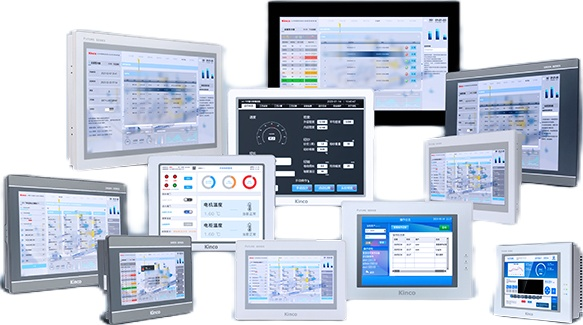
Kinco Automation provides industrial HMI products for automation applications. When reviewing its specified T2 product page, confirm the precise model’s touch-panel technology, display characteristics, communication interfaces, and environmental ratings. Do not infer whether a particular model uses four-wire or five-wire technology from the family name alone.
Select the Right Partner for Your HMI
Four-wire panels suit cost-sensitive applications with stable operating requirements. Five-wire panels offer better long-term stability if upper-layer wear is a concern. The optimal choice depends on interaction frequency, environmental conditions, replacement costs, and verified specifications.
For industrial equipment manufacturers, supplier selection should balance touch-panel performance with communication compatibility, documentation quality, and lifecycle support.
Evaluating these factors helps engineering and procurement teams choose an HMI that meets application needs—and remains maintainable over the equipment’s service life.
